Claude Code for Product Managers – Course Review
There’s been a perceptible online buzz around Claude Code recently and after finishing the first two modules of Carl Vellotti’s (free!) course, I understand ...

There’s been a perceptible online buzz around Claude Code recently and after finishing the first two modules of Carl Vellotti’s (free!) course, I understand why.
Claude Code for Product Managers is fun, transformative, and I strongly recommend it – it feels like the future of doing knowledge work.
The course walks you through how to actually use Claude Code as a partner and tool for real PM work. You do this inside Claude Code, not the chat interface everyone knows. The terminal-based tool that can read files, execute commands, search the web, and work with your actual project context on your computer.
What is Claude Code?
Claude Code is Anthropic’s terminal application for Claude. You run it in your terminal and it operates directly on your files, folders, and codebase. It can do useful stuff like read your documents, create new ones, analyse data, and even browse the web for research. It can also do really cool stuff like launch and manage agents.
The difference from the chat interface is context. In the regular Claude chat, you’re copying and pasting text back and forth. In Claude Code, you point it at your project folder and it can see everything. All kinds of context documents, templates, previous work, and specific Claude.md files. It all becomes available & intuitive to use.
Especially when combined with the powerful Opus 4.5 model, it’s changing how work is done.
The Course Structure
There is a guide to downloading the course along with the prerequisites – you do need a Claude Subscription so this is the only cost associated – but you already have one for greater Opus 4.5 access, right? 🙂
You will also need a tool to actually see the files being changed/created – I used Obsidian and it was great (I’m trying it out as a second brain) but there are several other options, pick what’s easiest for you. You spend a lot of time split-screened.

The course itself is split into two modules (plus a recently added third – see below):
Module 1: Foundation covers the mechanics. How Claude Code works, how to reference files, how to use agents, how to set up project memory. Seven lessons total, each building on the last.
Module 2: Real PM Work applies everything to actual product management tasks. Writing PRDs, analysing data, developing product strategy. Three lessons that feel more like realistic scenarios than tutorials – they are open ended and involve useful frameworks.
As mentioned the whole thing runs inside Claude Code itself and is cleverly built to be very conversational. It’s the perfect gentle introduction to this powerful tool.
Module 1: The Foundation
File Operations and @ References
The first thing you learn is that you can reference files with the @ symbol. Type @meeting-notes.md and Claude reads that file. Type @user-research/ and it reads the whole folder.
This sounds simple but it changes how you work. Instead of copying meeting notes into a chat window, you tell Claude to read @meeting-notes-raw.md and create an action items summary. It reads the 500-line document, extracts the important bits, and writes them to a new file. You can simply view the output of the new file and edit as you see fit (either manually or though chat).
You can also paste images directly with Ctrl+V. This surprised me a little – it’s really an old-new way of working! But once you know it, you can paste a screenshot of competitor UI and ask Claude to analyse it. Or paste a design mock-up and get feedback.
Input Modes: Edit, Auto-Accept, and Plan
Claude Code has modes you cycle through with Shift+Tab.
Edit mode shows you every file change before applying it. Safe but slow.
Auto-accept mode applies changes without asking. Fast but you need to trust what it’s doing. baby-YOLO mode, for everyday work in the right set of files.
Plan mode is the interesting one. Claude creates a plan first, breaks it into a todo list, then executes when you say go. The tickboxes are checked when each step is done. This is what you want for complex, multi-step work where you want to see the strategy before Claude starts writing files. You can iterate on the plan before it starts too.
There’s also --dangerously-skip-permissions which is the real YOLO mode. Run claude --dangerously-skip-permissions and it won’t ask for permission on anything. I use this but you shouldn’t do everything I do, use your judgement. People have totally wiped their entire drives this way.

Agents vs Sub-Agents
Agents (Module 1.4) are temporary clones of Claude for parallel work. You spawn 10 agents to process 10 meeting notes simultaneously. They do their task and report back to the main orchestrator instance – a timesaver.
Sub-agents (Module 1.5) are permanent team members with personalities. They live in .claude/agents/ as markdown files. When you ask for feedback on a spec, you can tell Claude to get all agent perspectives.
The course sets up three sub-agents for you:
- (@_@) Engineer – Technical feasibility, implementation concerns
- (ಠ_ಠ) Executive – Business value, stakeholder framing
- (^◡^) User Researcher – User needs, pain point synthesis
You can invoke them explicitly (“Use the engineer sub-agent to review this”) or Claude can invoke them automatically based on context. I’ve found explicitly naming them works better. Reading the sub-agent files you can see how easy it is to write your own. And to copy them to new projects. I have basic versions of these at work already stored in system prompts – these are more than time-savers, they really add to my early version work.
CLAUDE.md: Project Memory
CLAUDE.md is a markdown file that gives Claude a set of rules or memories about your project. It can be used as a basic form of continual learning (a hard problem that may get a real solution this year). You write down your product context, user personas, terminology rules, writing style preferences. Claude reads and follows those rules in every conversation.

CLAUDE.md acts as the law of the project, your prompts are suggestions that need to comply. For example, if your CLAUDE.md says “Always use Oxford commas” (as you should) and you tell Claude to write without Oxford commas in a prompt, it will still use Oxford commas.
You can add rules dynamically with #. Type a line starting with # and Claude asks where to save it – global or project memory. I had Claude write one of mine after reading a code repo – I only made tiny edits. Fast, intuitive, powerful.
Think Keywords
You can control how deeply Claude thinks (how many inference tokens it spends) –
- “think about X” – Normal thinking
- “think harder about X” – Deeper analysis
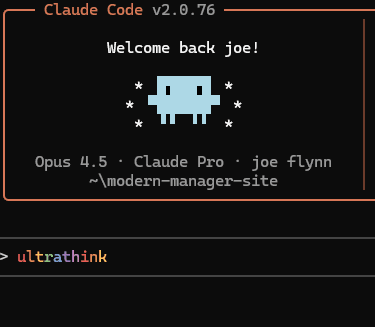
- “ultrathink about X” – Maximum depth thinking (and it does a rainbow in the terminal, sparking joy)

Ultrathink is slow but for hard strategic problems, it’s worth the wait. Spend tokens if you have them!
Navigation Shortcuts
A few shortcuts worth knowing:
- Shift+Tab – Cycle between Edit, Auto-accept, and Plan modes
- Esc twice – Rewind the conversation and optionally revert file changes (like ctrl+z)
- /model opus – Switch to Claude Opus (SOTA model, more expensive, use whenever you can)
- /context – See how much context you’re using in your current window – Claude Code will auto-compact it towards the end
- /clear – Start fresh
Module 2: Real PM Work
Here the course has more in-depth modules that challenge your general product skills and use a range of real PM frameworks – I would have learned a bunch even if this was not in Claude Code!
Writing PRDs (Module 2.1)
The course is clear that AI should be a thinking partner, not a ghostwriter. You’re not asking Claude to write a PRD for you. You’re using it to help you think through your core assumptions, make sure you don’t miss things, and consider other angles. We remain in co-pilot mode and there’s a lot of value here.
The workflow is:
- Set context – Reference the company context file, a PRD template you choose from a few options, and have Claude read any relevant user research
- Socratic questioning – Claude asks you questions about the problem space, forcing you to clarify your thinking (I recommend having LLMs ask you questions in general)
- Generate multiple approaches – Instead of one PRD draft, you get three with different strategic angles (don’t fear token use!)
- Multi-perspective feedback – The engineer, executive, and user researcher sub-agents review your draft, you iterate.
Data Analysis (Module 2.2)
Claude Code can read large files and do real analysis – Carl added a lot of data in CSV form for this part.
From the CSV file calculates drop-off rates, identifies the problem step (60% drop between task creation and completion), then reads survey data to understand why.
Claude helps you build a fairly complicated impact model with pessimistic, realistic, and optimistic projections. The documents produced are impressive.
Then a well designed part of the course – cohort analysis. The top line results look disappointing (just 45% -> 48% activation). But you are pushed to segment by company size and Claude reveals the real story – small teams saw a +11.4% increase, while enterprise dropped -3.5%. The modest overall figure was hiding a huge win for the target market we selected for earlier on.
Product Strategy (Module 2.3)
The final lesson is the most open-ended. You develop an AI strategy for the fictional company.
You pick from one of three proven frameworks – SWOT, DHM, but I went with Rumelt’s strategy kernel:
- Diagnosis – What’s the strategic challenge?
- Guiding Policy – What’s your approach? (This is where hard choices happen)
- Coherent Actions – What specific steps will you take?
Claude runs parallel agents to research competitors (Notion AI, Linear AI, Asana AI). Then you make five strategic choices through multiple choice questions. Each one has trade-offs.
After each choice, Claude plays devil’s advocate. You choose to focus on voice-first? Great, but what if voice becomes commoditised in 6 months when OpenAI releases better recognition at 1/10th the cost? You can stick with your choice or reconsider. I stuck to some, switched on others.
Your five choices get synthesised into a complete strategy document. Then Claude attempts to use the pptx skill to turn it into a PowerPoint presentation for execs with charts and timelines. Skills are extensible capabilities the agent can call, deserving of their own post.
The skill failed on my machine as I don’t have PowerPoint, so Claude suggested and created HTML slides instead. Not quite as polished, but the concept is there. Check them out!
Final Thoughts
Working in Claude Code as Claude operates on actual files instead of copy-pasting text is a different experience. You work differently, it feels faster. The quality improves because Claude has full, directed context. Calling Agents is cool. In a few years it will just be life, but now it’s cool. The plan mode with its checkboxes are useful and delightful.
If you’ve never used a terminal, the setup will feel a little intimidating – but it needn’t be! Remember, YOLO. The course is clear, and Claude is right there to help. Once you take the step the benefits are outsized.
Newly released Module 3 – Nano Banana incorporating Google’s SOTA image model is out now, it looks super fun and is next on my list 🙂
Course It’s free! You do need a Claude subscription (or an API key – but it could get pricey that way) and a way to view markdown files.
Tutorial video Carl with Akash Gupta (I’ve not watched but they are both great content creators)